How It Works
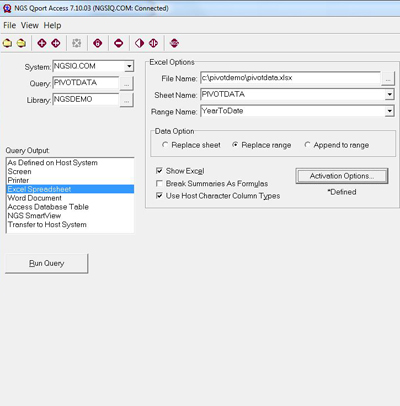
With Qport® Access, Windows users can run queries built with NGS-IQ™ and deliver their results directly to Microsoft® Excel, Access, and Word in the most secure and efficient manner possible. You also can output your query results to Qport SmartView (NGS-IQ's OLAP module), Adobe® PDF, .TXT, .CSV, the Windows display, ASCII or IBM i printer, the IBM i IFS, or a Db2 file.
Microsoft Excel Integration
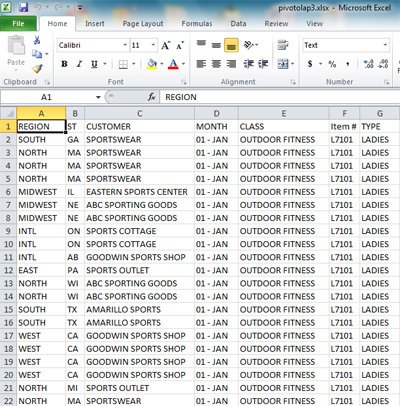
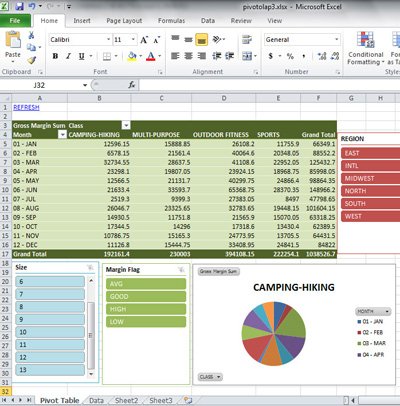
When sending reports to Excel, you can specify the workbook, sheet, named range, and table where you want the data delivered. You can create, replace, and append to Excel as often as desired. Pivot tables, filters, charts, and expressions based on the contents of a range update automatically.
Qport Access can automatically convert your summaries and calculated fields into formulas and even load the data into one sheet and then display another. You might use this capability to automatically update and display a chart based on your query output. If you establish live links between your Excel data and other files such as PowerPoint presentations, the linked files update each time you use Qport Access to refresh the Excel sheet.
Qport Access can also format detail rows in a query's output as an Excel table to instantly make it possible to sort, filter, and transfer the data to Microsoft Power BI.
Do you have fields like product numbers, account numbers, or others that begin with one or more zeros? If so, you’ll appreciate how Qport Access lets you tell Excel to retain them when loadng your data.
Advanced Functionality Qport Access leverages the advanced functionality of IQ Server™ and IBM i. Reports may include complex record selection criteria, conditional calculations and summary level new fields, extensive formatting, file joins, data arithmetic, links to remote databases, and more.
Qport Access prompts users at run time for new field calculation formulas and one-time record selection criteria. With this flexibility,users can change discount formulas, date ranges, customer names, item numbers, etc., without revising the query. Qport Access can link NGS-IQ queries together to run in a series which can still include run-time prompts and output to different worksheets. Users can tell Qport Access where they want their query results sent each time they run the query, so different users who run the same query are not limited to viewing the results in the same format. For example, a query might be output to display or to a printer one time and to Excel or Qport SmartView the next. Users may also select a printer and print selected pages or all of the pages of their report. They can specify type size, print orientation, number of copies, whether or not to collate, and adjust other printer settings as desired.
Data Transfer to Host
You may have accountants creating budgets in Excel, departments storing data in Windows applications, suppliers who provide pricing updates in ASCII files, servers collecting website traffic data, bid specifications generated outside the IBM i environment, or data obtained from credit reporting, government, or third-party market intelligence vendors.
Qport Access allows your authorized users to transfer these files into Microsoft Access, format them, and then upload the rows and columns you need to Db2 on i to help you produce meaningful reports and analysis.
This “Transfer to Host” option only appears on an authorized user’s Qport Access menu.
NGS also offers IQ Connexion™ for higher volume, remote data access to Microsoft SQL Server®, Oracle®, MySQL®, PostgreSQL™, and IBM Db2®. |
|
|